

1. Introduction
Checkmk allows you to comprehensively monitor MySQL, MariaDB and Galera clusters for MySQL. You can find a complete list of monitoring options in our Catalog of check plug-ins. Among other things, Checkmk can monitor the following:
In order to be able to monitor the databases, besides the Checkmk agent you only need the agent plug-in on the database server. Additional software is neither required on the Checkmk, nor on the database server.
Next, we will describe setting up MySQL monitoring for Linux and Windows hosts. Later we will go into setting up using the Agent Bakery.
2. Setting up the monitoring
2.1. Creating a user
The only requirement for setting up monitoring within MySQL is that a database user and its password must be available. This user only needs reading rights to the MySQL instances. If such a user does not yet exist, create it in the instances to be monitored. To do this, log on to MySQL with a user with sufficient access rights, and then create a new database user:
This newly created user needs permission to read the instances.
Therefore, check whether the user has the necessary permissions, or add them with the following command.
The following example does this for the user checkmk:
If you use MySQL replication, the user must at least have the REPLICATION CLIENT permission to monitor the replica server:
Depending on your version of MySQL or MariaDB it can be additionally or alternatively necessary to grant the permissions BINLOG MONITOR or SLAVE MONITOR:
2.2. Installing the plug-in
- Linux
The required
mk_mysqlplug-in can be found on your Checkmk server via Setup > Linux, Solaris, AIX files > Plugins or alternatively in the~/share/check_mk/agents/plugins/directory.As a first step, copy this plug-in into the plug-ins directory for the agent on the host to be monitored. The plug-ins directory is usually
/usr/lib/check_mk_agent/plugins/. As soon as the script is in the specified directory, make it executable:This plug-in can of course also be run asynchronously if required.
- Windows
The agent for Windows comes with a number of plug-ins as standard. That is why you will also find the plug-in for monitoring MySQL on your host after installing the agent. Simply copy this into the correct directory for use.
2.3. Creating the configuration file
The configuration file that you create below—or via the Agent Bakery--is used as the only source for the MySQL monitoring settings. Any other configuration settings that may exist locally are not taken into account by Checkmk.
- Linux
Then create a file with the name
mysql.cfgin the configuration directory (regular:/etc/check_mk/) for the Checkmk agent on the target host.The agent can retrieve the desired information from your MySQL instance using the user data entered in it. Although the specification of a database user is optional, we recommend this as the agent usually runs the plug-in as the system user
root. If no database username is specified, the MySQL client attempts to access the database with the username of the executing system user without using a password, or by using the password stored in.mylogin.cnf. Further information can be found, for example, in the MySQL documentation.This is done in the usual format for MySQL configuration files:
Saving the access data with the following command protects against unauthorized access:
- Windows
On a Windows host, create a file named
mysql.iniin the directory below:If you run multiple MySQL instances with different usernames and passwords on the host, simply create one
.inifile per instance using the following naming scheme:mysql_INSTANCE-ID.ini
2.4. Creating services
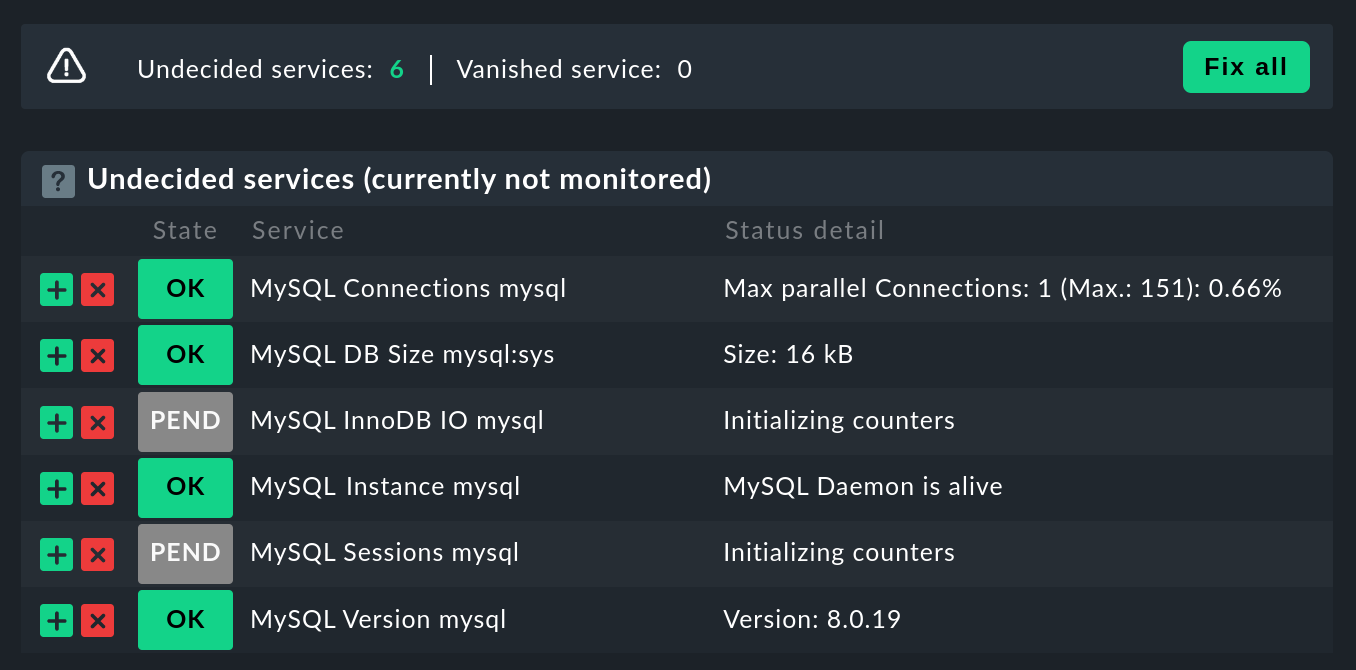
Now that you have installed and configured the plug-in, you can perform a service discovery for this host. The following screenshot shows only a selection of the services that can be found:
3. Advanced configuration
The following sections show the plug-in configuration via configuration files.
In commercial editions, it is alternatively possible to configure agent plug-ins via the Agent Bakery.
3.1. Executing a plug-in asynchronously
The plug-in for monitoring MySQL like so many others can be run asynchronously, for example to take longer runtimes into account for large MySQL instances.
- Linux
On a Linux host, the plug-in is only moved to a subdirectory of the plug-in directory. For example, if you only want to run the plug-in every 5 minutes, simply move the
mk_mysqlscript to a subdirectory called300. Detailed instructions for the asynchronous execution of plugins can be found in the article on the Linux agent.- Windows
To run the plug-in asynchronously under Windows, adjust the configuration of the agent, and expand the
executionsection underpluginswith the following entry:You can find detailed instructions for the asynchronous execution of plug-ins on a Windows host in the article on the Windows agent.
3.2. Additional options for the configuration files
Setting up communication with MySQL via socket
Instead of letting the agent communicate with MySQL via TCP, you can instruct Checkmk to address the socket.
To do this, simply define the variable socket in the mysql.cfg file.
Here is an example of the Windows configuration file:
Defining hosts manually
Furthermore, it is also possible to set the MySQL host manually via the configuration files.
The corresponding variable is simply called host.
Here again using the example of Windows:
3.3. Configuring thresholds
Monitoring sessions
Some of the checks set up in this way have no preset threshold values. This is usually the case because there are no reasonable default values that would be sufficient in most cases. However, these can be set up in a few simple steps.
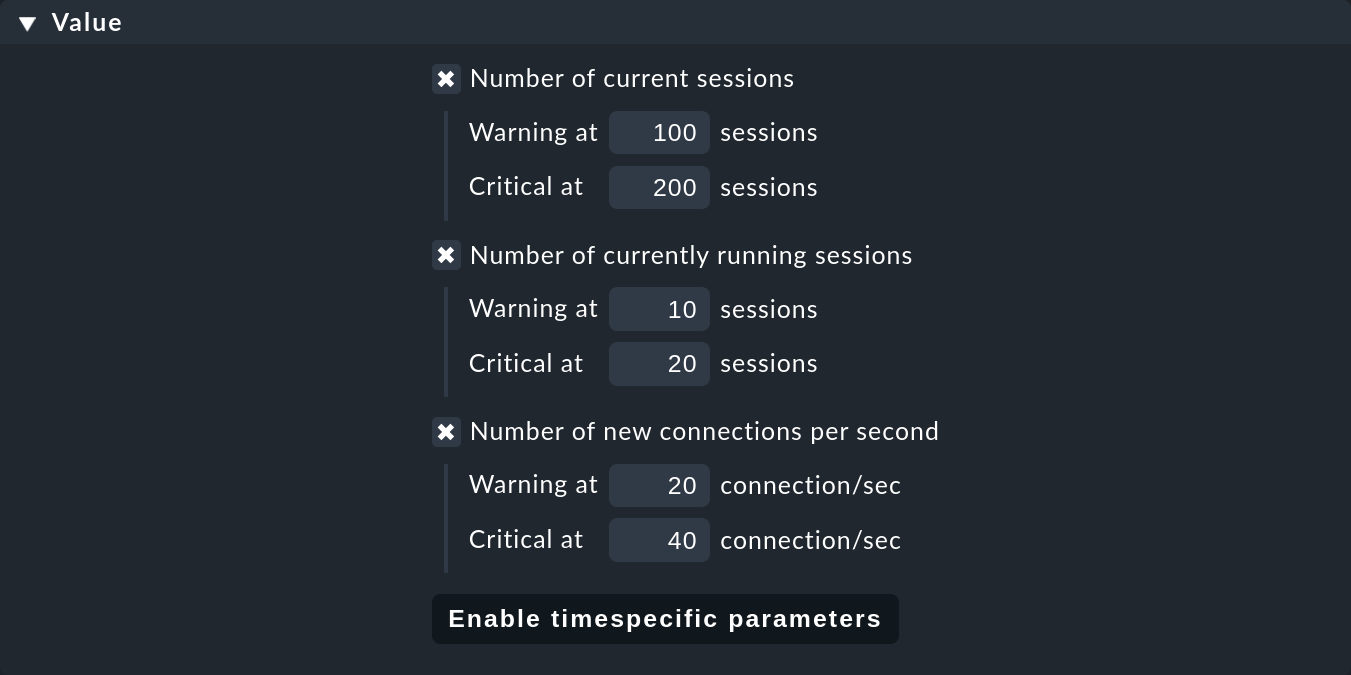
For example, you can find in the Service monitoring rules the MySQL sessions & connections rule. This can be used to define meaningful threshold values for the MySQL sessions service for your MySQL instance.
Monitoring connections
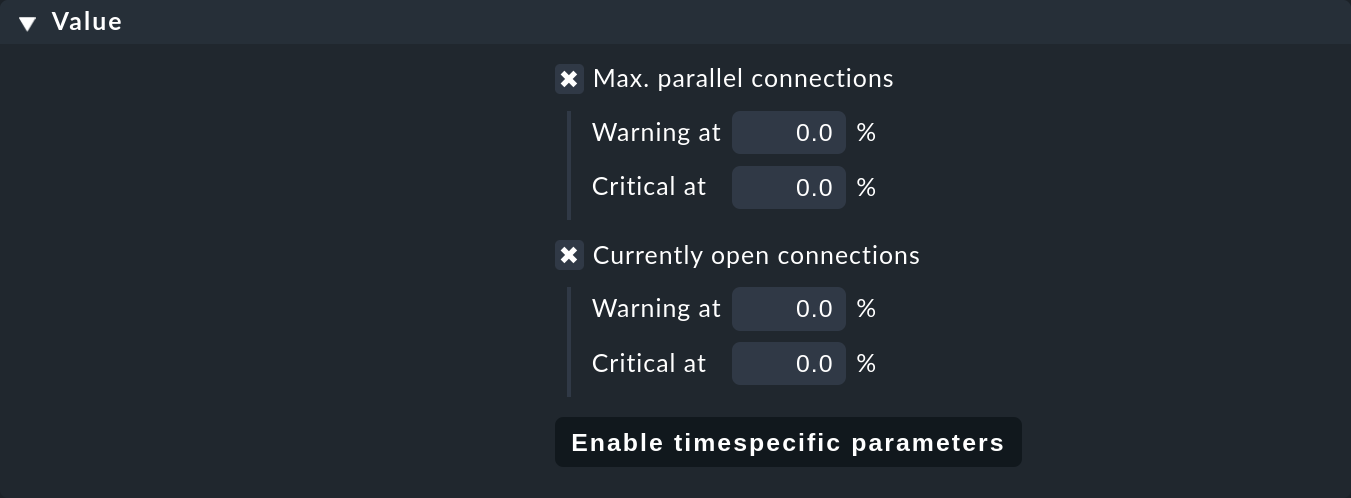
We have also not specified any threshold values for the utilization of the maximum number of simultaneous connections specified by MySQL, since these depend much more on the structure of your MySQL instance than with other services.
The establishment of corresponding threshold values can be accomplished in a jiffy with a rule from the MySQL connections rule set. The same goes for the amount of open connections.
Monitoring database sizes
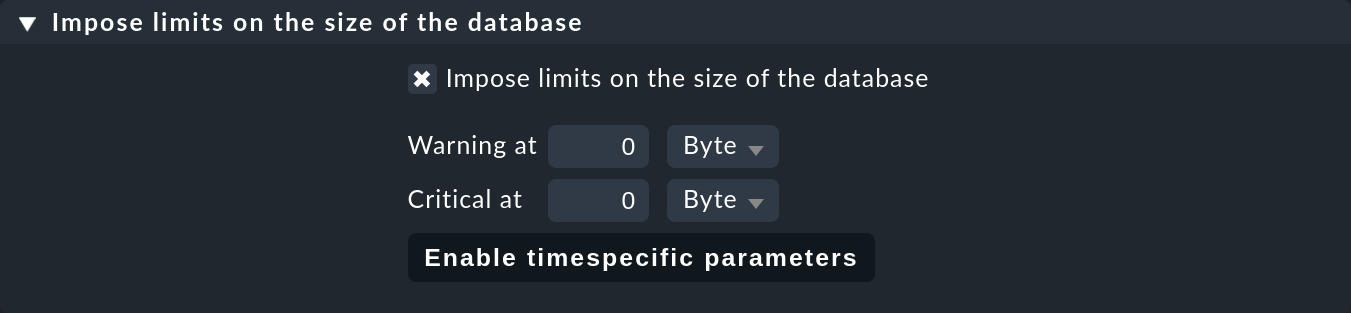
The size of individual databases in MySQL is monitored by the MySQL: Capacity check plug-in. Threshold values for this plug-in can be determined with the MySQL database sizes rule.
3.4. Monitoring log files
With the help of the logwatch check plug-in you can also monitor the log files generated by MySQL for errors.
After setting up the plug-in, first check where the corresponding log files are located in your MySQL instance.
Their exact location can be found in your instance’s .ini or .cnf file.
You can enter the logs you are interested in in the logwatch configuration file and make the following entries for example on a Linux host:
/var/log/mysql/error.log
 W Can't create/write to file
 C [ERROR] Can't start server
 C mysqld_safe mysqld from pid file /var/run/mysql/mysqld.pid ended
4. Configurations using the Agent Bakery
 The setup is much simplified with the Agent Bakery, since syntax errors in the configuration files are avoided,
and adaptations to changing environments can easily be made.
The main difference compared to a manual installation is that only for special MySQL-specific configurations you have to work on the MySQL host on its command line.
The setup is much simplified with the Agent Bakery, since syntax errors in the configuration files are avoided,
and adaptations to changing environments can easily be made.
The main difference compared to a manual installation is that only for special MySQL-specific configurations you have to work on the MySQL host on its command line.
For the initial setup, it is sufficient if you set up the database user on the MySQL host, and create a corresponding rule in the Agent Bakery.
You can find the rule set under Setup > Agents > Windows, Linux, Solaris, AIX > Agent rules.
You can then search for mysql in the search field:
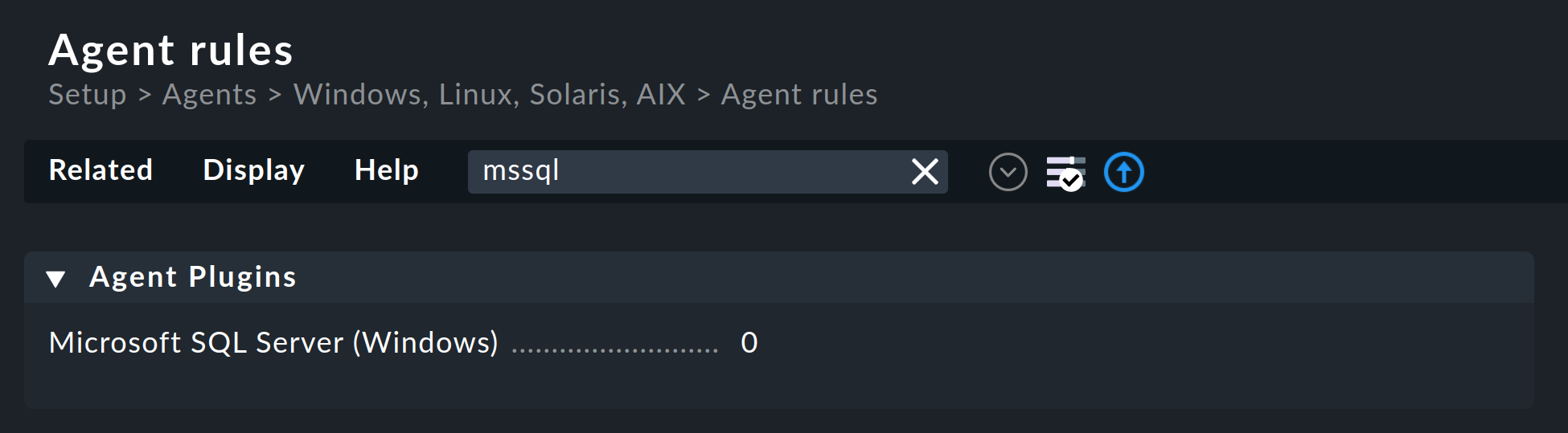
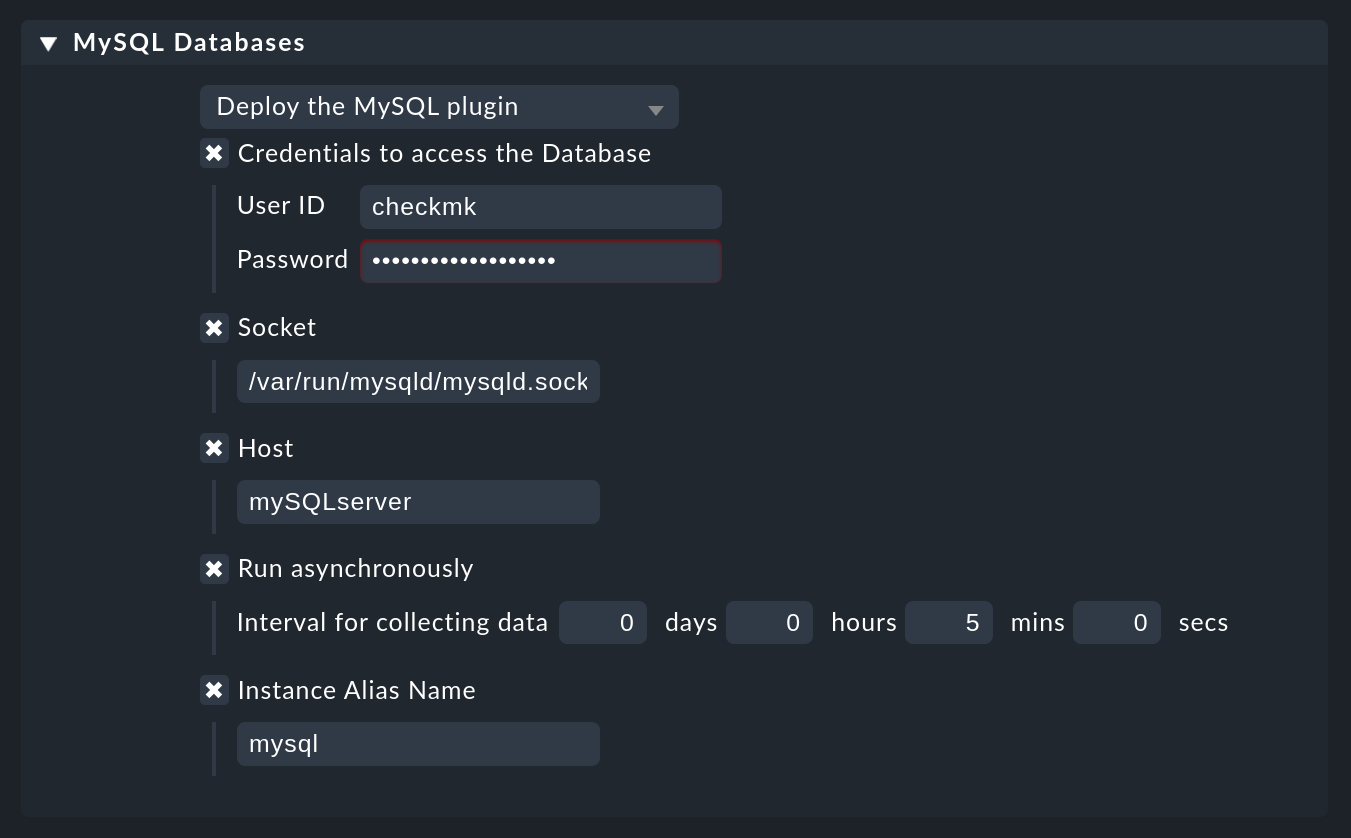
Enter the user ID and password for the new database user. With the following field you can set the Checkmk agent for Linux hosts so that it does not establish the connection to MySQL via TCP, but instead via the socket. Depending on the size and utilization, this can contribute to better performance.
If you perform the monitoring via the socket, you also have the option to define an alias for that socket. In the monitoring, the corresponding services will then not be named after the socket, but will be referred to by the alias—which you have defined.
You can use Custom port to change the default port to suit your environment.
An asynchronous version of the MySQL plug-in can also be defined using this rule set. This can be useful to take longer runtimes into account with large MySQL instances, or if the status data is simply not required every minute.
5. Diagnostic options
If, for example, unexpected behavior or problems arise when setting up the monitoring, it is recommended to check directly on an affected host. Since the plug-ins for monitoring MySQL for both Linux and Windows are shell or Visual Basic scripts, they can easily be executed without the agent. Regardless of the operating system used, only the relevant configuration directory needs to be made known to the shell or to the command line.
- Linux
First check the applicable directories for your respective host.
Now use the export command to create the
MK_CONFDIRandMK_LIBDIRenvironment variables. Customize the commands according to your actual directories.
These environment variables only exist in the currently open shell, and disappear as soon as you close it.
You can then run the
mk_mysqlscript directly in the of the Checkmk agent’s plug-in directory.If all permissions have been granted to the database user correctly, you should now see several hundred lines of output even in a small and fresh MySQL environment.
- Windows
In order to be able to run the check plug-in on a Windows host manually, first open a command line with admin rights. Now set the
MK_CONFDIRenvironment variable in this command line. This is required so that the plug-in can find your configuration files.
This environment variable only exists in the currently open shell, and disappears as soon as you close it.
You can now run the plug-in script.
5.1. Possible errors and error messages
The error message connect to server at xyz failed indicates that the user specified in the configuration file has no access to MySQL.
First check that no transmission errors have crept in when creating the configuration file (mysql.cfg or mysql.ini).
If the username or password specified in the configuration file is incorrect, you will receive something like the following error message:
Access denied for user checkmkIf you see a whole series of data from your MySQL instance in Checkmk, but there is no service that monitors the size of the databases it contains,
this is an indication that the database user does not have the SELECT permission.
Check your database user in MySQL with the following command:
If the keyword SELECT is missing in your output, grant the database user the appropriate rights as specified in the user setup section.
6. Files and directories
6.1. On the MySQL host
- Linux
File path Function /usr/bin/check_mk_agentThe agent that collects all data about the host.
/usr/lib/check_mk/plugins/The usual directory in which plug-ins are stored.
/etc/check_mk/mysql.cfgThe configuration file for the MySQL plug-in.
/etc/check_mk/mysql.local.cfgAdditional configuration file for specifying host-specific sockets.
- Windows
File path Function C:\ProgramData\checkmk\agent\plugins\The usual directory in which plug-ins are stored.
C:\ProgramData\checkmk\agent\config\The usual configuration directory.
6.2. On the Checkmk server
| File path | Function |
|---|---|
|
The plug-in that retrieves the data from the MySQL host. |