

1. Optimizing security
Even if monitoring is 'only' observation, the matter of IT security is still very important, especially when connecting and setting up remote systems. In the article on security you will find an overview of topics with which you can optimize the security of your system.
2. Monitoring very large environments
When your monitoring reaches a scale where you are monitoring thousands or even more hosts, questions of architecture and optimization become more urgent. One of the most important issues is distributed monitoring. Here you work with several Checkmk sites that are interconnected to form a large system and which can be configured for a central setup as needed.

3. Availability and SLAs
Checkmk can calculate very precisely how high the availability of hosts or services was within certain time frames, how many outages there were, how long such outages continued, and much more.

Based on the availability data, the SLA software module included in the commercial editions enables a much more detailed evaluation for aid in complying with service level agreements — and such agreements can even be actively monitored.

4. Hardware and software inventory
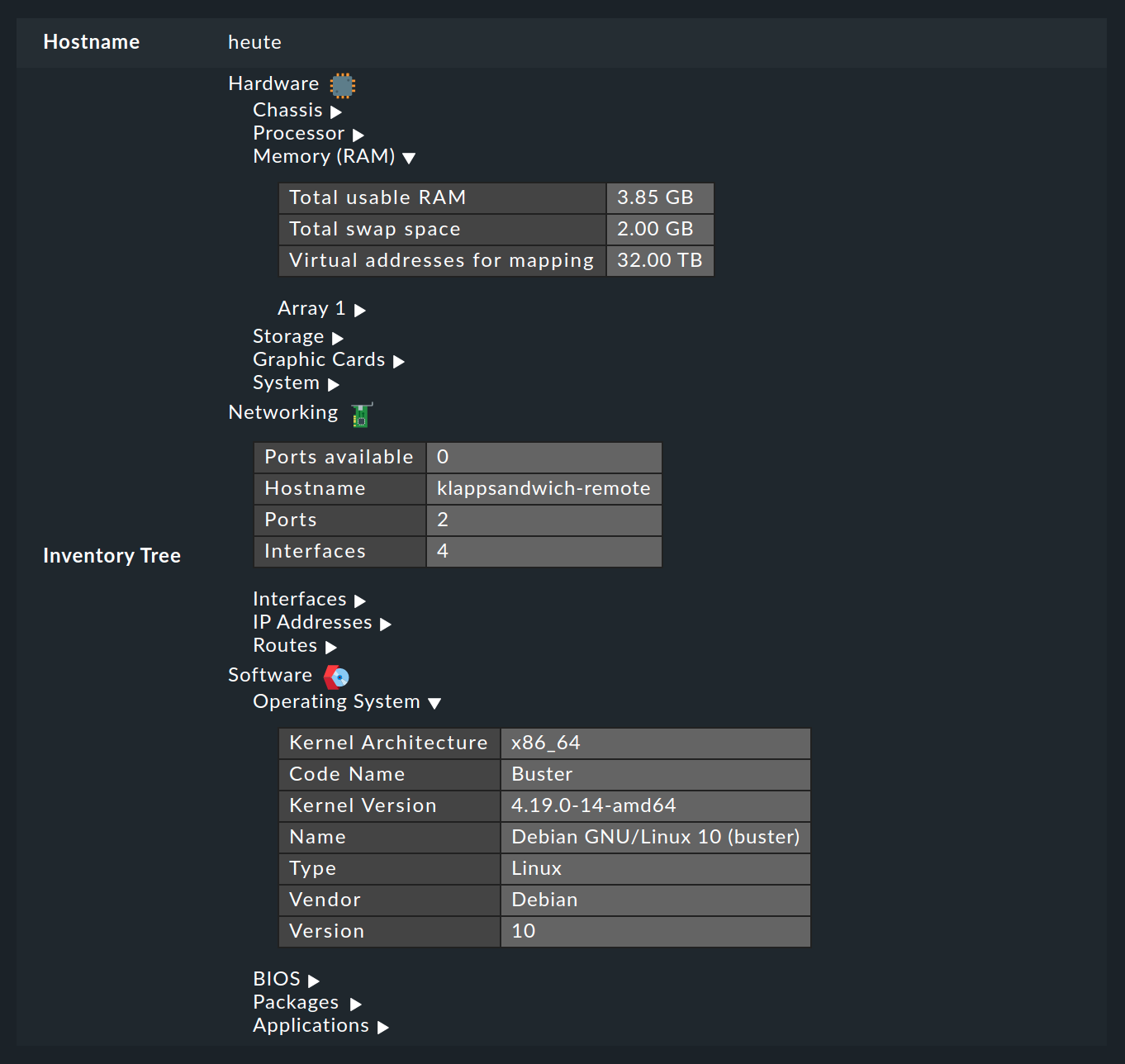
The HW/SW inventory is actually no longer a part of monitoring, but Checkmk can use the already existing agents to generate extensive information on the hardware and software in your monitored systems. This is very helpful for maintenance, license management or the automatic filling of configuration management databases.
5. Monitoring messages and events
So far we have only dealt with monitoring the current states of hosts and services. A completely different matter is the evaluation of spontaneous messages that appear for instance in log files or which are sent via the syslog or SNMP traps. Checkmk filters relevant events from the incoming messages, and has a completely integrated system called the Event Console for this purpose.

6. Visualization using maps and diagrams
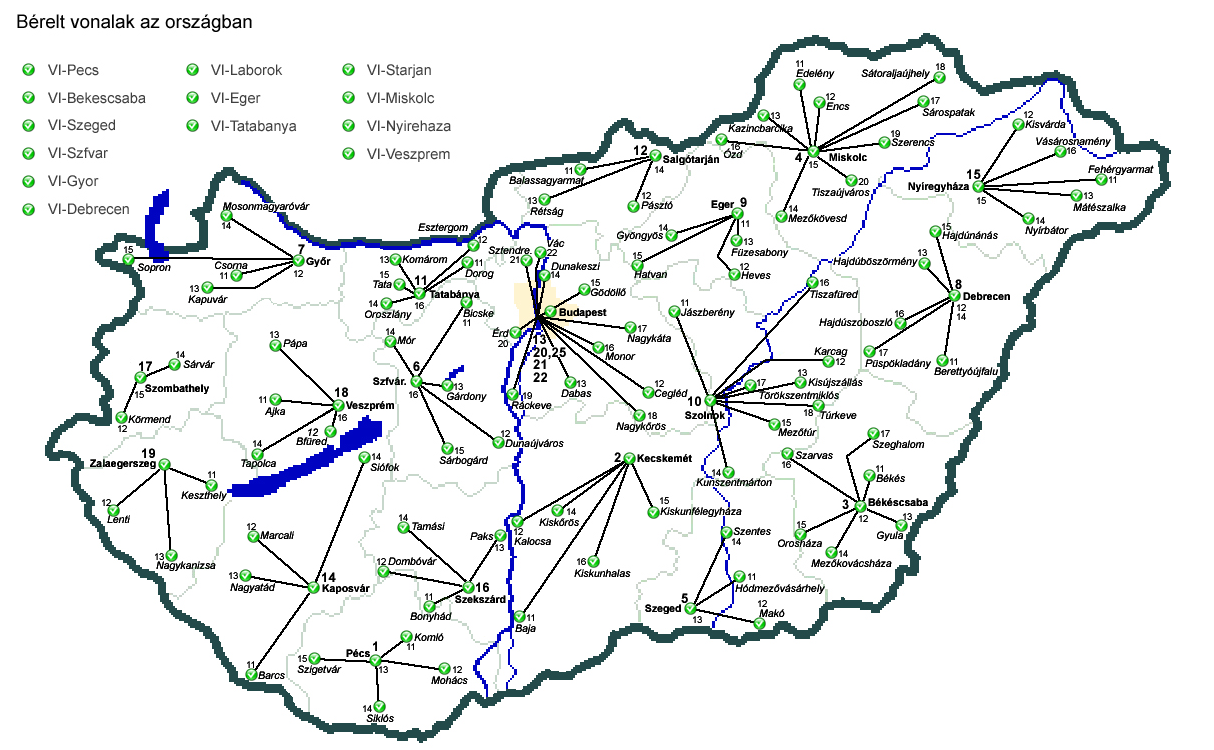
Using the NagVis software module integrated into Checkmk, you can display states on customized maps or diagrams. This is excellent for creating appealing general overviews, such as on a monitor in a control room.
7. Business Intelligence (BI)
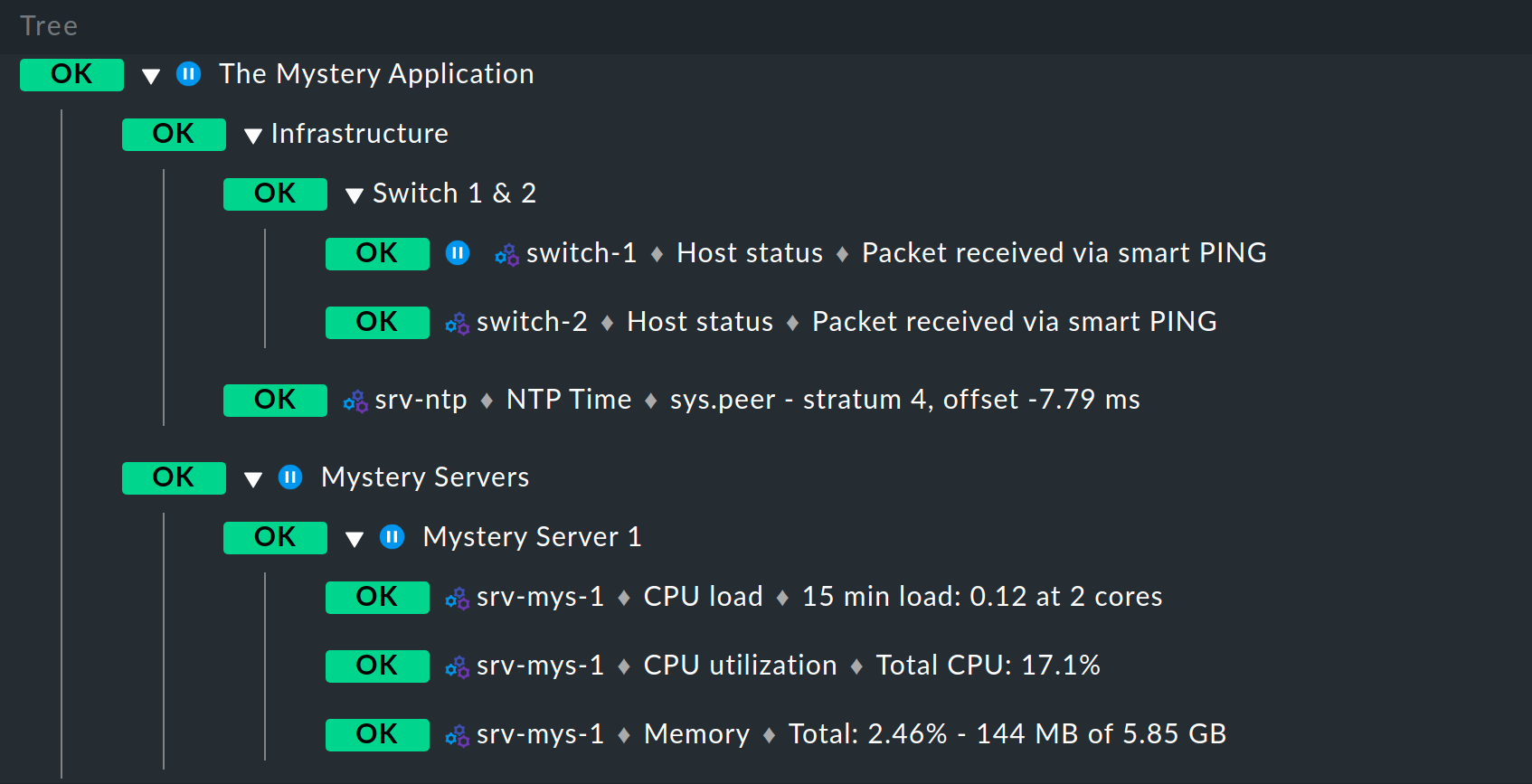
With the Business Intelligence software module integrated in Checkmk, you can derive the overall status of business-critical applications from the many individual status data and display these clearly.
8. Creating PDF reports
The information available in Checkmk — views, availability tables, graphs, logos, and much more — can be compiled into reports and exported as printable PDF documents. PDF reports can only be created in the commercial editions.
9. Automated updating of the agents
If you monitor many Linux and Windows servers, you can use the Agent Updater included in the commercial editions to have a centralized method for keeping your monitoring agents and their configurations up to date.
10. Developing your own plug-ins
Even though Checkmk offers over 2000 check plug-ins, it can still sometimes be that a specific plug-in is missing. An introduction to the development of extensions for Checkmk can be found in an own article.